Morning · prepare
Put tonight's menu together in a minute
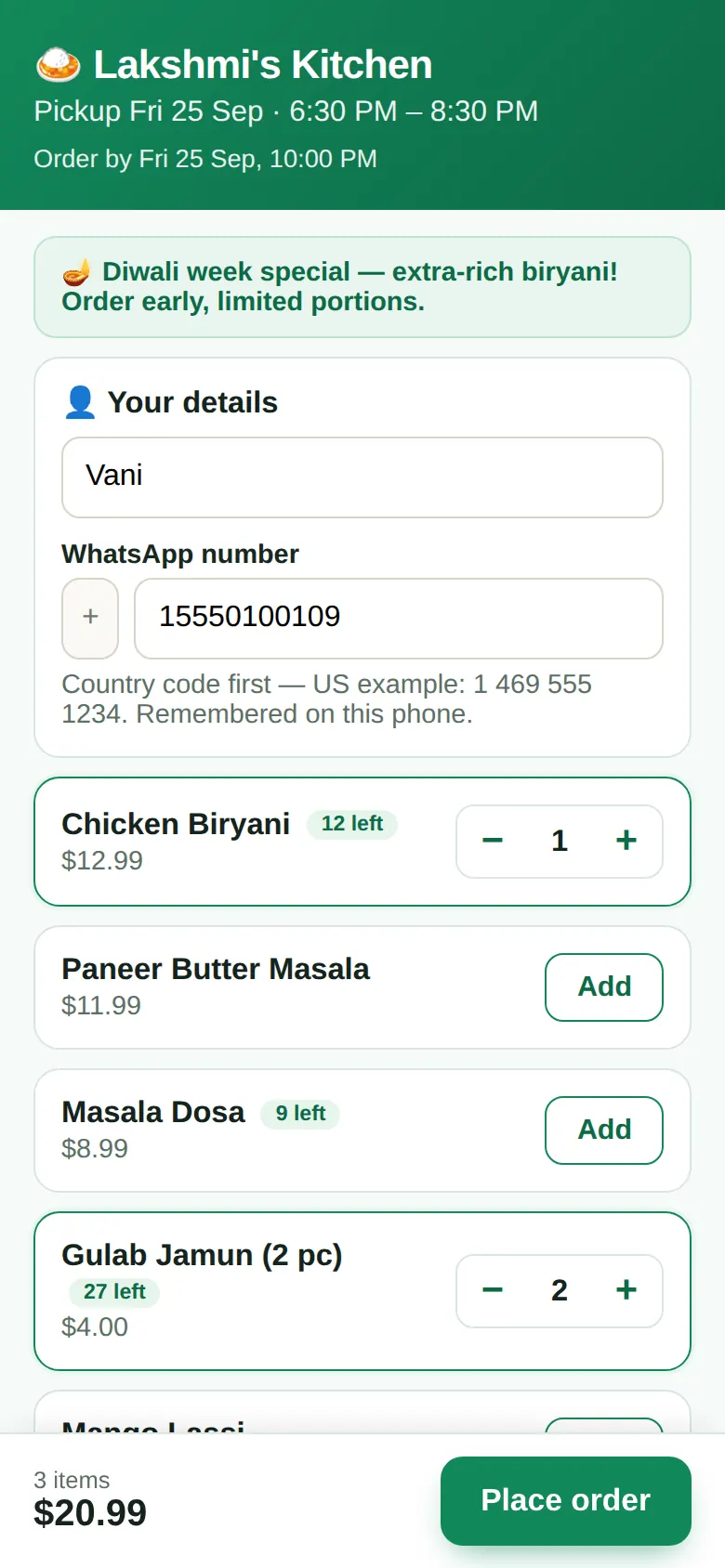
Copy yesterday's menu or add dishes. Set how many portions you'll make of each; leave it blank for unlimited. Omea counts what's sold as orders come in.
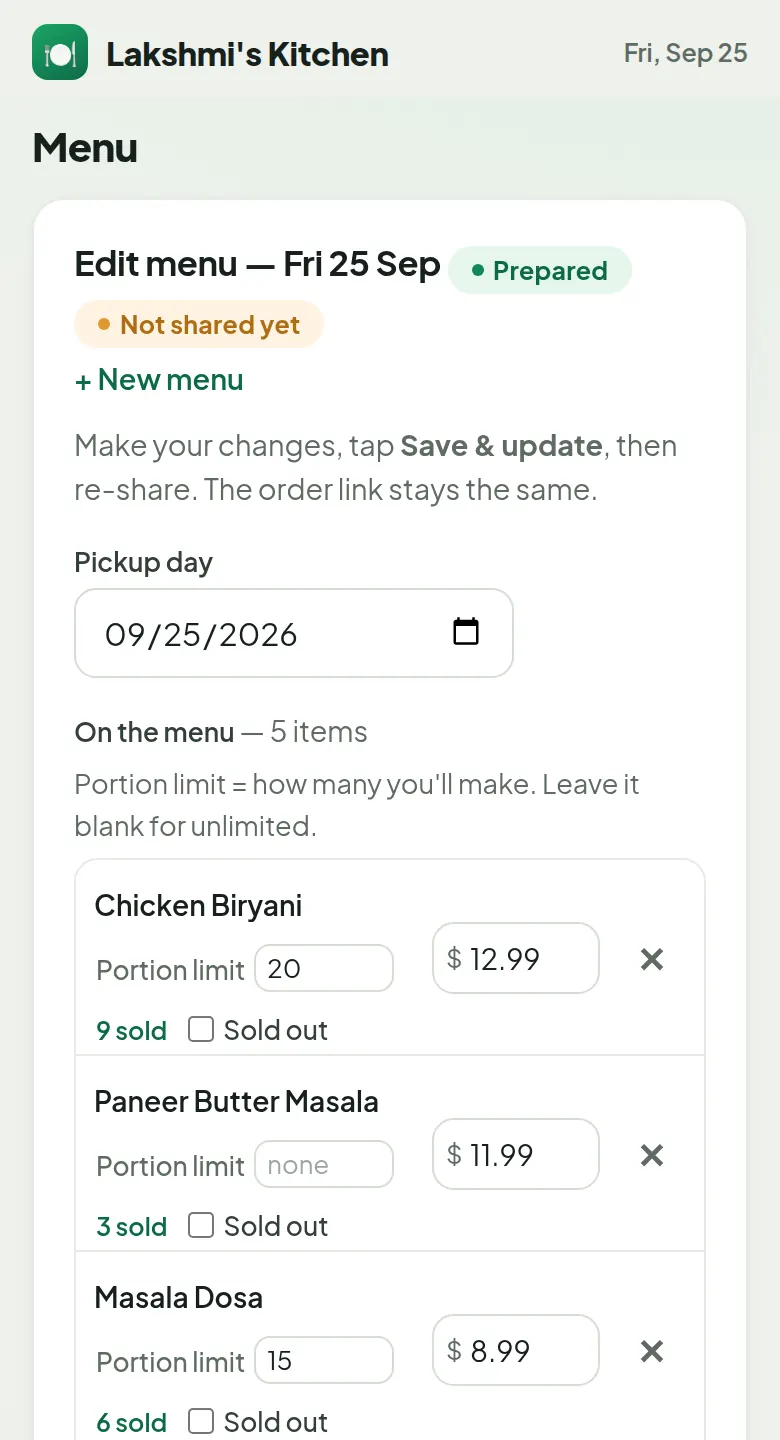
Omea turns today's menu into one order link for your group. Customers tap it, pick their dishes and they're done. You get a clean list of who ordered what, how much to cook, and who has paid. Party and catering trays work the same way. No more counting messages.
So simple you can start in under 2 minutesReal Omea screens with a demo kitchen. Tap a part to jump straight to it.
No sound needed — every step has a caption. Share it with anyone who cooks with you: omea.biz/about#video
No training, no setup call, no website to build. If you can send a WhatsApp message, you can use Omea.
One tap with Google, or use your email.
Your kitchen's name, pickup place, and whether you sell daily menus, party orders or both.
Type them, or load our list of 67 common dishes and just set prices.
Pickup time and "order by" come pre-filled. Change them if you like.
One tap opens WhatsApp with your menu and order link ready to send.
The clock pauses once: the Omea team checks every new kitchen before its first menu goes out, and emails you when you're in.
These are real screens from Omea, shown with a demo kitchen.
Copy yesterday's menu or add dishes. Set how many portions you'll make of each; leave it blank for unlimited. Omea counts what's sold as orders come in.
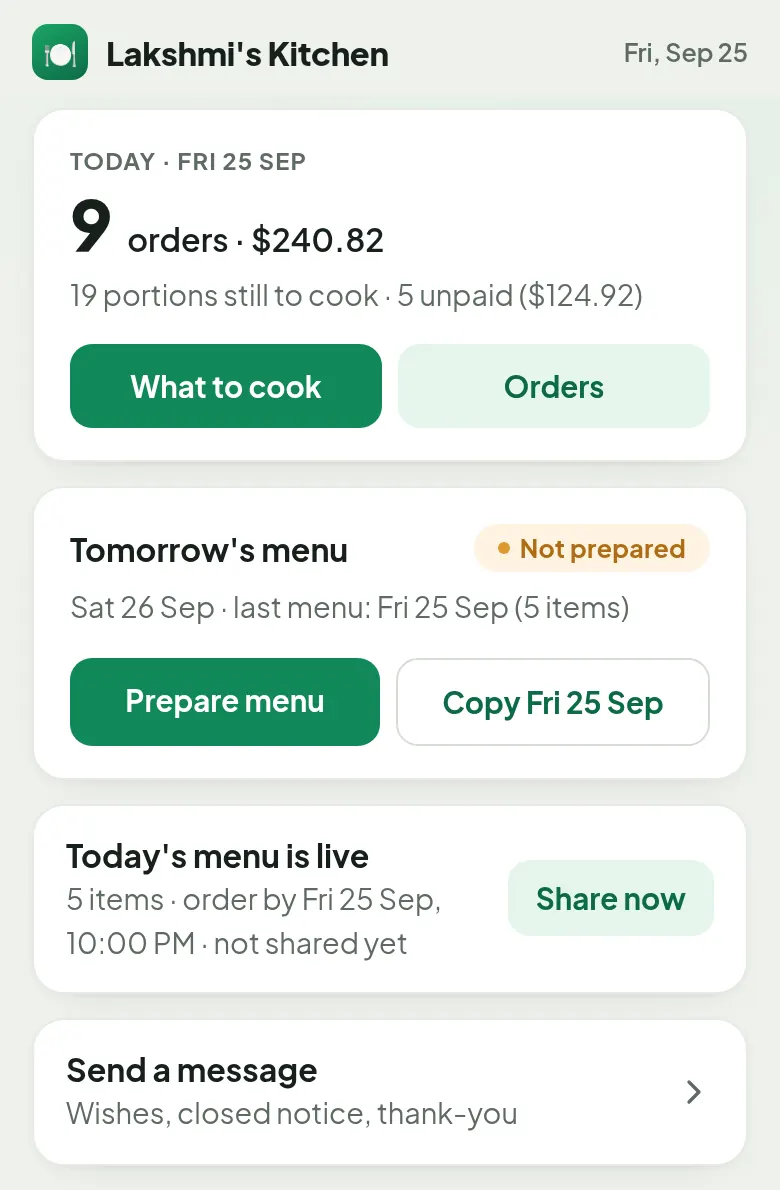
Your Home screen shows how many orders you have, the money coming in, how many portions are still to cook and who hasn't paid yet. Tomorrow's menu is one tap away, or copy today's.
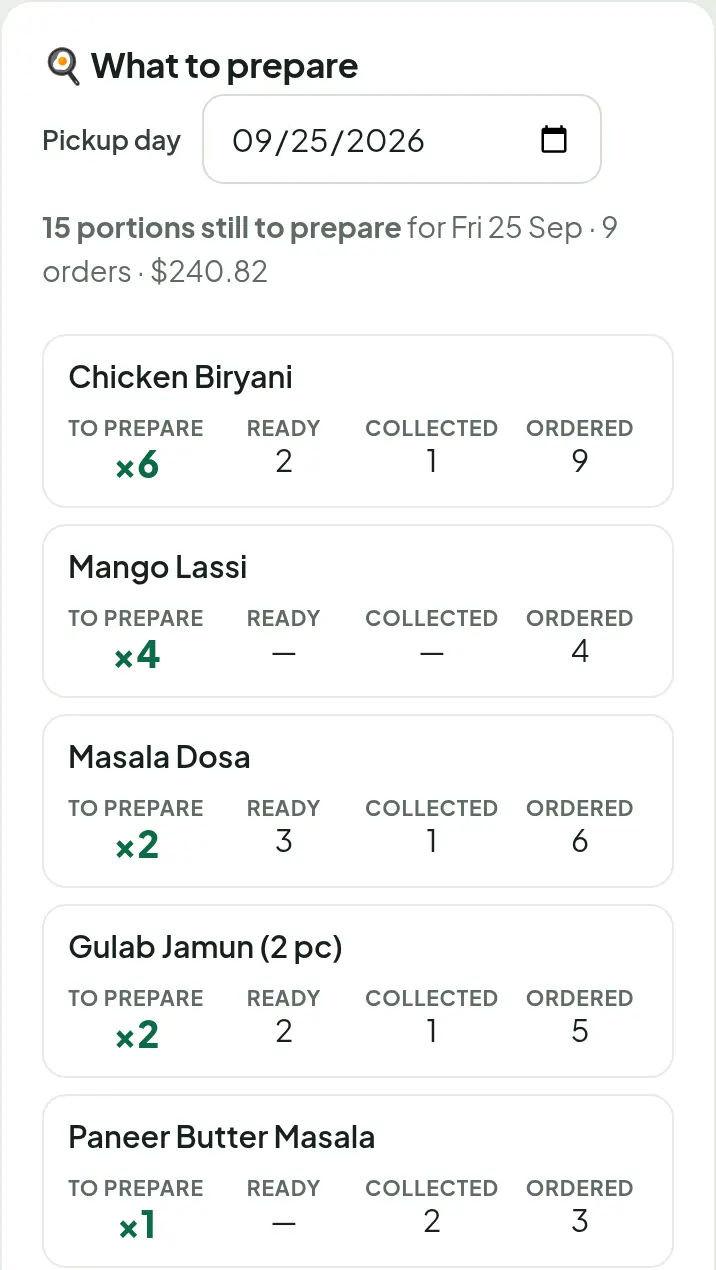
"What to prepare" adds up every order for you: 6 more biryani, 4 mango lassi, 2 dosa. As you mark orders ready and collected, the numbers go down.
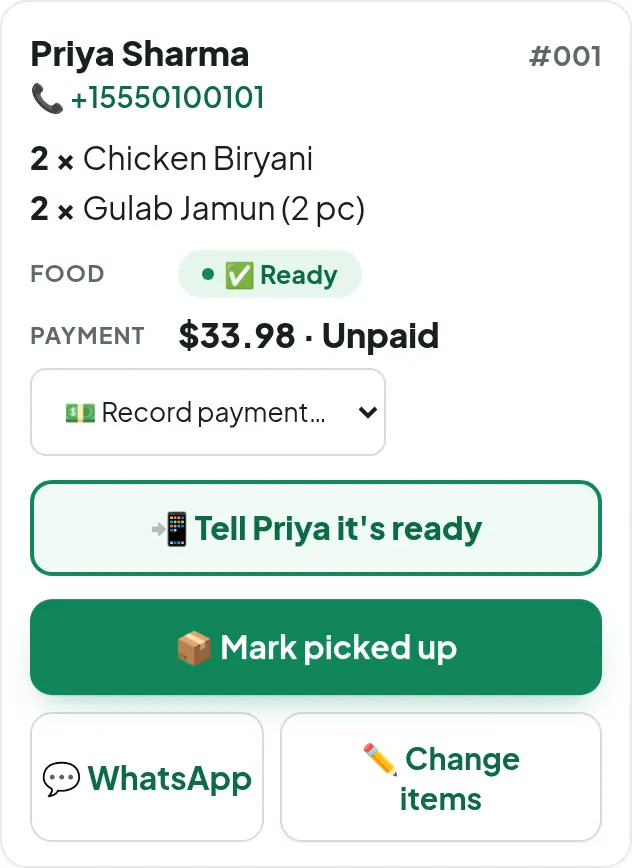
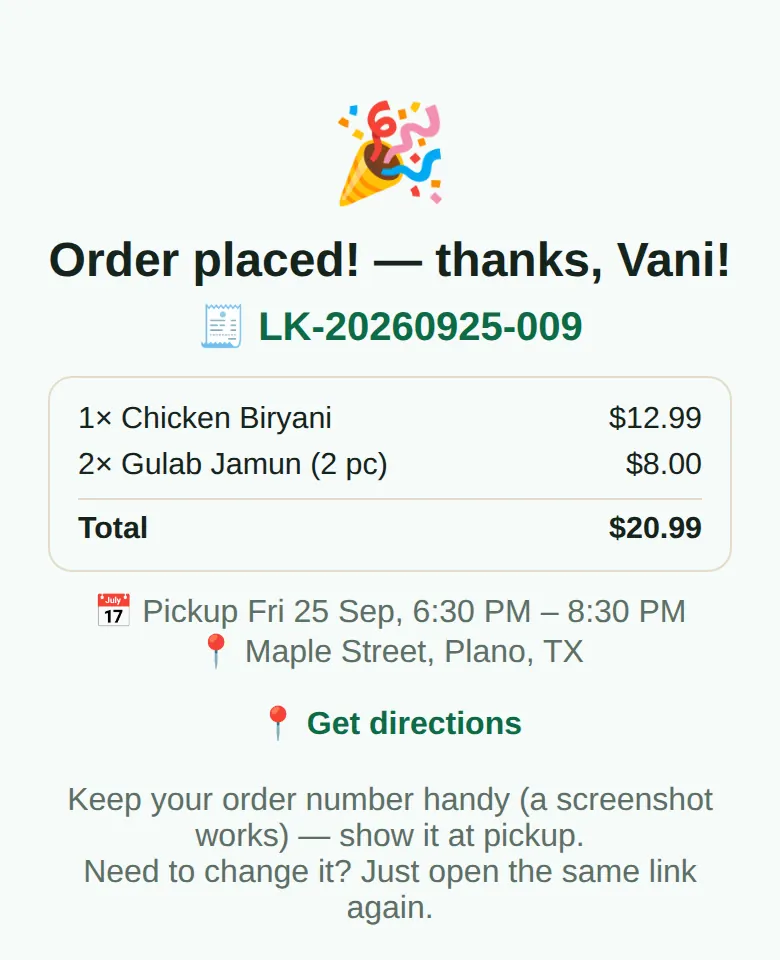
Mark an order ready, then tap "Tell Priya it's ready". WhatsApp opens with the message already written: her order, the total, your address and pickup time. Record cash, Zelle or Venmo with one tap when she collects.
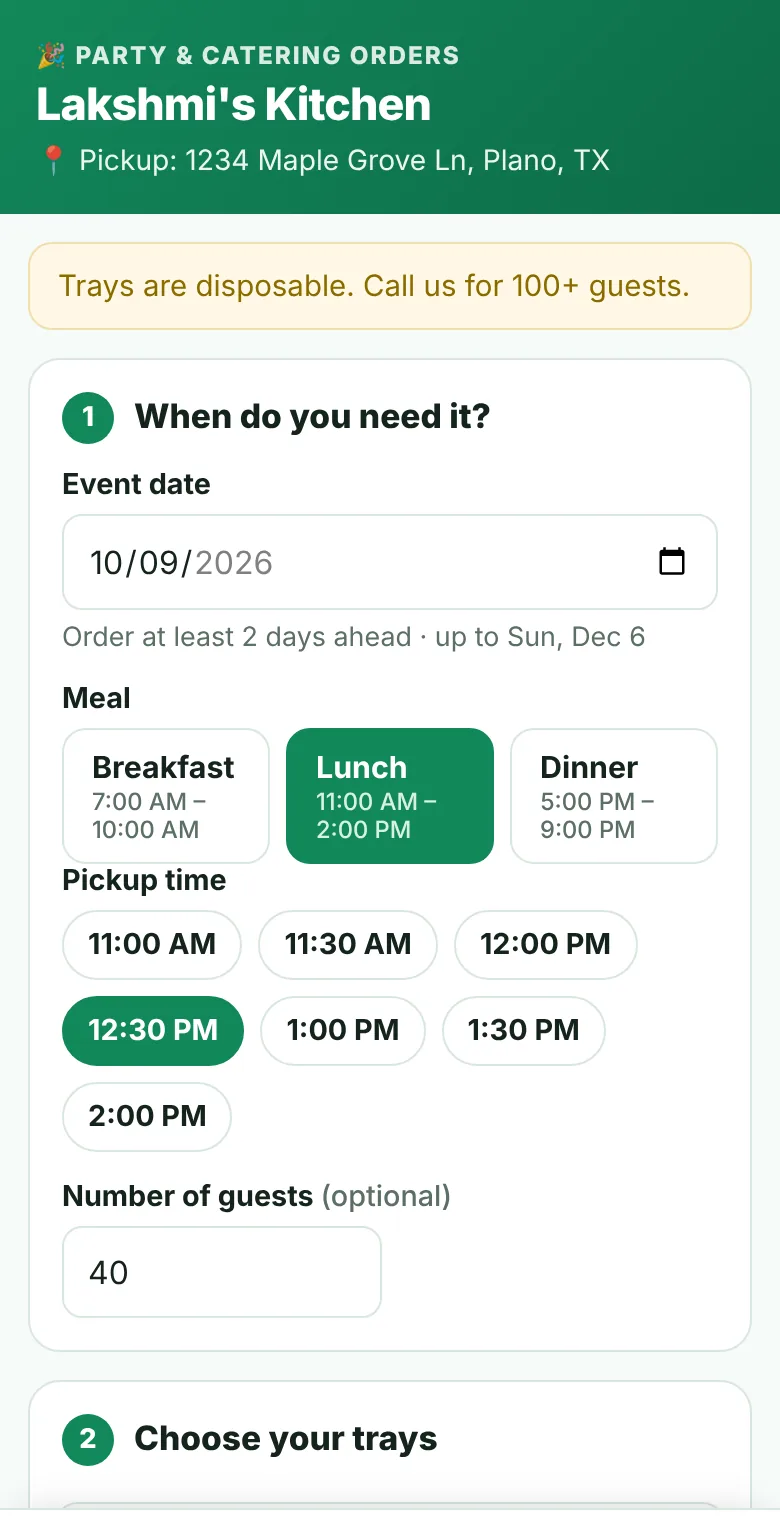
Besides your daily menu, give customers one permanent party link. They choose the date, meal, pickup time and trays, and send you a request. Nothing is final until you accept it.
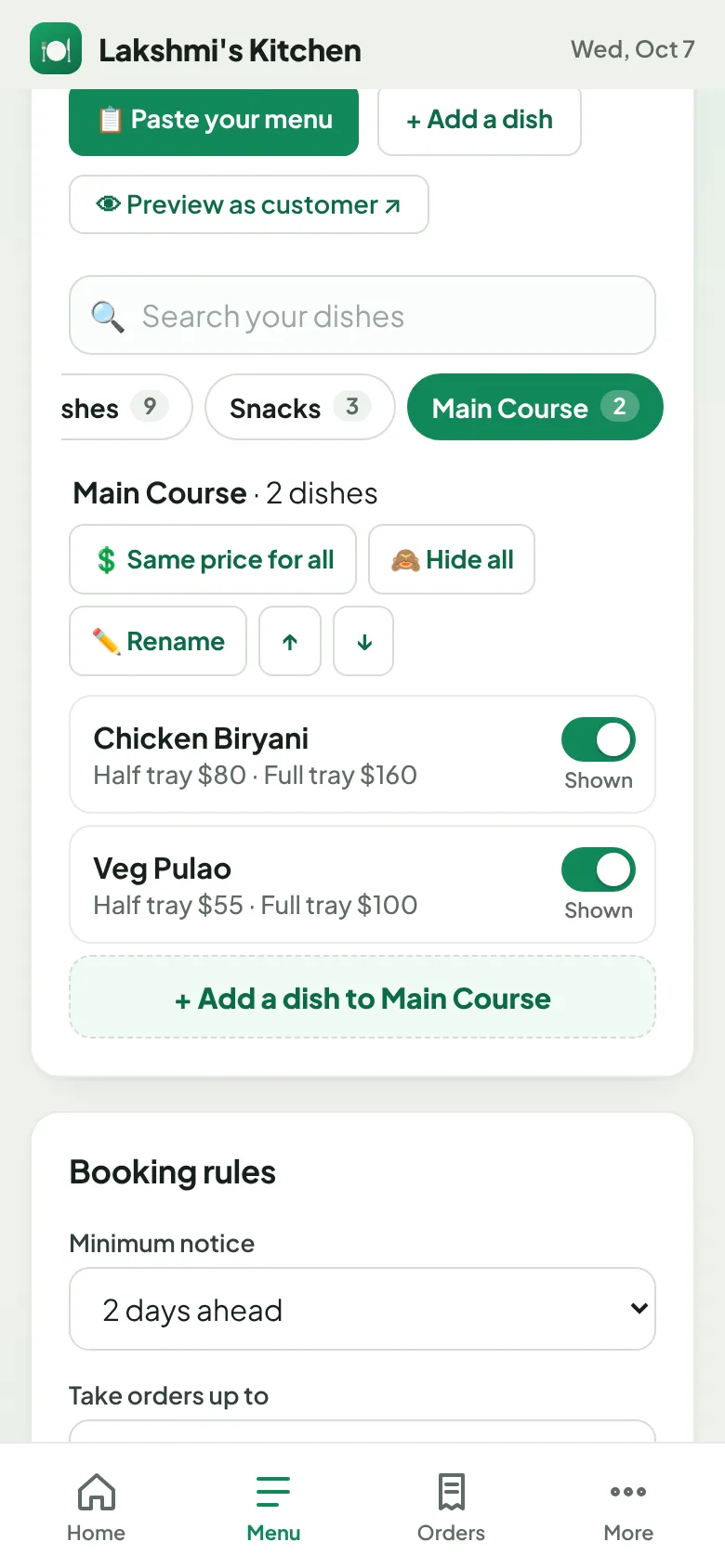
Omea reads "half $60 full $110", "50 for $40" and "$1 each", and sorts dishes into sections. Fix any price with a tap, give a whole section the same price in one go, and set your booking rules: notice days, pickup hours for breakfast, lunch and dinner, and days you're closed.
Only the days and times you allow can be chosen. Then they add trays section by section, see how many each tray serves, check the basket and send. They can change or cancel online until your notice period.
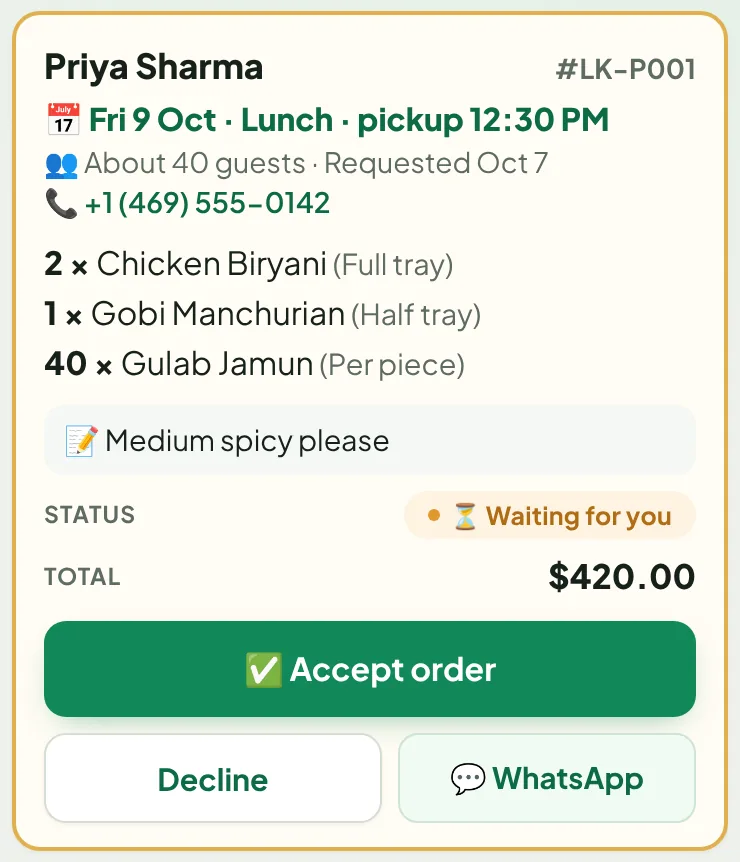
Each request shows the date, guests, trays and total. Accept or decline with a reason, then send the confirmation on WhatsApp with one tap. Payments and refunds are tracked, and the cook sheet adds up every tray for the day.
Everything is built for a busy kitchen and a phone held in one hand.
Set how many you'll make. Orders stop at that number, and the last portion can never be sold twice.
Same dishes as last Friday? Copy it and change only what's different.
Start from a list of common dishes and set your own prices. Omea remembers them for next time.
A running total per dish across all orders, updated as food goes out.
Mark orders paid by cash, Zelle or Venmo. See who still owes, and any refund due if an order gets smaller.
One tap opens WhatsApp with the pickup message written for each customer.
Send festival greetings or "closed tomorrow" to your group, with a photo.
Orders and money by day, your most-ordered dishes and your regular customers.
Optional: new customers confirm their number with a 6-digit code before their first order or party request, which stops fake orders.
Available on requestHalf and full trays, per piece or packs. Customers request, you accept or decline, and the cook sheet adds it all up.
Minimum notice, how far ahead, pickup hours per meal, closed days and a minimum order for party requests.
Quick answers for common questions, and a place to ask for help or suggest an improvement. We reply there and by email.
Collect cash at pickup, or Zelle and Venmo as you do today. Omea only keeps track of who has paid, so you don't have to.
No. They tap the link in your WhatsApp group, choose dishes, and enter their name and WhatsApp number. Their phone remembers them next time.
No. Omea works with your normal WhatsApp and the group you already have. You post the menu yourself, the same way you do today.
Directly to you: cash at pickup, Zelle, Venmo or whatever you already use. You mark each order paid with one tap, and Omea shows who still owes money.
Set a portion limit and Omea stops taking orders for that dish when it's gone, showing "sold out" to customers. You can also switch a dish to sold out at any time.
Yes, by opening the same link on the phone they ordered from. You can also change items for them from your Orders screen.
Yes. Choose "Party orders" or "Both" for your kitchen, paste your party menu, set your booking rules and share your party link. Customers send a request with the date, meal, pickup time and trays; you accept or decline it.
Yes, online until your notice period (for example 2 days before the event). A changed order comes back to you to confirm again, and Omea keeps track of any balance to collect or refund to give back.
New orders close automatically at the time you set, and your cooking list is ready to go.
Yes. Omea is designed for your phone first, and works just as well in a browser on a laptop.
Tap "Start free", sign in with Google or email, and enter your kitchen's name and pickup place. The Omea team checks every new kitchen and emails you when you're approved. Then prepare your first menu and share it to your group. The 4-minute video shows every step.
In Omea, open More → Help & ideas. There are quick answers to common questions, and you can ask for help (with a screenshot) or suggest an improvement. We reply there and by email.
Set up your kitchen in under 2 minutes and share your first menu with your group.